


Word Madness
4.94.58K Reviews
App Specs
- Version
- 21.74.2
- Updated On
- License
- Free
- Downloads
- 1,000,000+
- Developer
- Mad Brain Games LTD
- Categories
- Word
- Platform
- Android, iOS
Screenshots

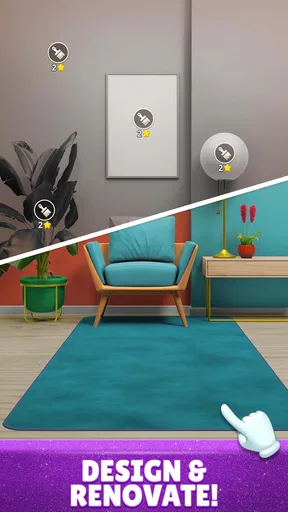
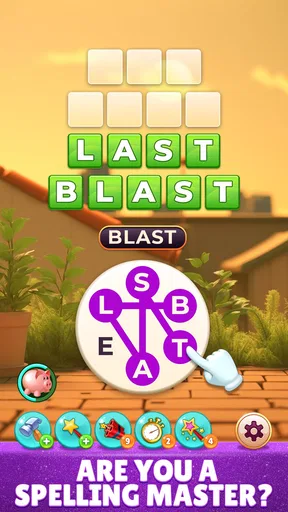
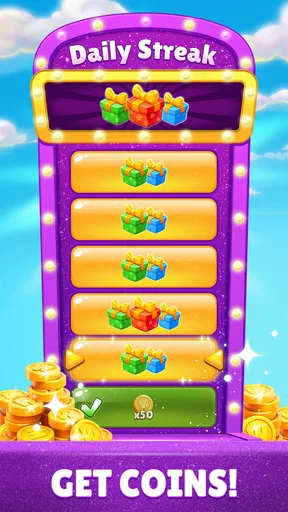
 Analysis by AppCompare
I tend to reach for a word puzzle when I have a few spare minutes but don’t want to spend them scrolling aimlessly. Word Madness fits that in-between moment: it turns letter-solving into a compact mental challenge, and I can see why its straightforward premise has found an audience. It is a free word game from Mad Brain Games LTD, with an Everyone age rating, so it is broadly approachable for families as well as solo players looking for a vocabulary workout.
What the purchase details mean in practice
The game is free to install, but it also offers in-app purchases ranging from $0.99 to $99.99 per item. That range is worth noticing before you begin, especially if you plan to hand a device to a child: I would check the device’s purchase controls rather than assume every optional purchase is harmless or necessary. The existence of paid items does not, by itself, tell me how often the game asks players to spend or whether purchases affect progress, so I wouldn’t make a stronger claim about its economy.
Its audience numbers suggest that this is not an obscure experiment: it has over a million installs, around 50,000 ratings, and a 4.9 average. Those figures can help a new player feel that the game has attracted interest, but they cannot tell you whether its puzzles suit your taste. The useful test is whether you enjoy building words from a jumble of letters and are comfortable with a game that may offer optional spending.
Why the puzzle loop works—and where it can feel demanding
The central task is easy to understand: look at a group of letters and find the words hidden in it. That makes it simple to pick up without needing to learn a complicated rule set first. The challenge comes from recognizing different combinations, including words that may not be the first ones that occur to you. I find that kind of puzzle satisfying because a solution usually comes from shifting perspective rather than reacting quickly.
As levels become harder, the game asks for more patience and a broader vocabulary. That gradual increase can make progress rewarding, but it also creates a particular kind of friction: sometimes I know a word is there and still can’t see it, while at other times an unfamiliar answer can leave me unsure whether I missed a common word or simply lack the right vocabulary. This is a better fit for players who enjoy puzzling through uncertainty than for anyone who wants every round to feel effortless.
One practical way to keep the difficulty enjoyable is to pause before using a hint. I try rearranging the letters mentally, look for familiar endings or beginnings, and then return to the puzzle after a short break if I am stuck. That small reset often helps more than tapping for an answer immediately. Hints can get a session moving again, but using them too quickly may take away the exact moment of discovery that makes a word puzzle satisfying.
Using hints without losing the point of the game
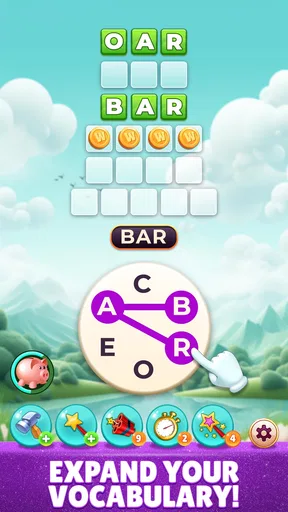
The hint system uses coins to reveal letters or even whole words. I like having that safety net for a stubborn puzzle, though it changes the nature of the challenge: revealing a letter preserves some of the solving work, while revealing a complete word can turn the moment into simple completion. If you want to practise recall, I’d save hints for answers that remain elusive after a genuine attempt rather than treating them as a shortcut through every difficult level.
Worth Reading Before You Choose

EA SPORTS FC Mobile 26 Is a Bigger Football Game, but It Takes Time

Flipboard Shows What News Apps Must Do Beyond the Feed

Switching to Android Auto Means Rethinking Your Driving Routine

Google Calendar Makes a Crowded Week Easier to Manage

Ludo King Makes the Most of the Minutes Between Plans

Baby Panda World Brings Quick Play to Modern Phones, but Its Game Library Feels Busy
That approach is also useful if you are playing in short bursts. You can make a serious attempt, use a limited nudge when you are truly stuck, and move on instead of letting one puzzle consume the entire break. The trade-off is that a hint can help you continue without necessarily teaching you why the answer fits. If vocabulary-building is your main goal, it may be worth taking a moment to remember the solved word rather than tapping straight onward.
A better fit for breaks than for every kind of word fan
The game’s short puzzle format suits waiting rooms, public transport, and small pauses between chores. I can imagine opening it while waiting for a coffee, solving a few letter groups, then putting the phone away when my order is ready. Since it supports offline play, it can also be useful in places where a connection is unavailable, such as an airplane. That makes it more dependable for travel than a word game that requires you to stay online, although I would still make sure it is ready on the device before relying on it during a trip.
It is less compelling if you want the social depth of a head-to-head word match or the spacious, clue-driven feel of a traditional crossword. Here, the core appeal is rearranging letters into words, not competing through a long conversation or solving a themed grid of intersecting clues. A player who enjoys crosswords for their clues and broad general-knowledge references may prefer a dedicated crossword game; someone who likes quick anagram-style thinking is more likely to settle into this one.
Compared with word searches, which ask you to spot words already placed in a grid, this kind of letter puzzle puts more emphasis on recall and experimentation. Compared with spelling games built around lessons, it feels more like casual play than a structured course. I wouldn’t choose it as a complete language-learning tool, but it can be a pleasant way to exercise vocabulary in spare moments, particularly if you treat unfamiliar answers as words to remember rather than just obstacles to clear.
Getting Started with Word Madness
The first thing that hits you when you fire up the game is its sleek and colorful interface. It’s inviting, almost like a good book you can’t wait to dive into. Setting up is a breeze—you’re not bombarded with a million sign-ups or tedious tutorials. You jump straight into the action, which is exactly how I like it.
The game kicks off with a simple yet engaging tutorial that eases you into the mechanics. Even if you’re not a seasoned word game veteran, you’ll find the learning curve to be just right. Before you know it, you’re piecing together letters and forming words like a pro.
The Gameplay Experience
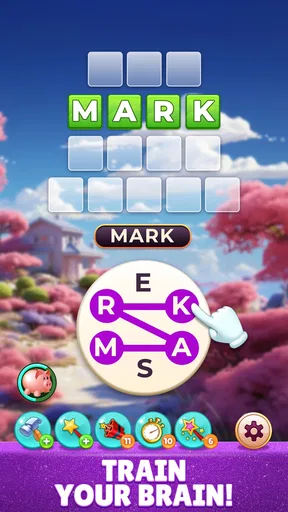
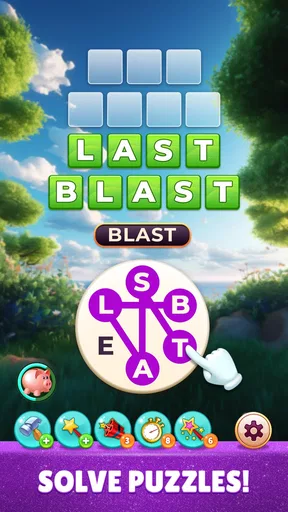
Once you’re in, the real fun begins. The game offers a variety of levels that keep things fresh and challenging. Each level presents a jumble of letters, and your task is to unscramble them into words. Sounds simple? Well, it’s delightfully tricky, and that’s where the madness comes in.
The game ramps up in difficulty as you progress, introducing longer words and more complex puzzles. I loved how each level felt like a mini brain workout, pushing me to think outside the box. The satisfaction of finding that elusive word after minutes of head-scratching is unbeatable.
One of my favorite features is the daily challenges. They’re a fantastic way to earn extra rewards and keep the game feeling fresh. Plus, who doesn’t love a little friendly competition? You can compare your scores with friends or players worldwide, adding a nice social element to the mix.
Design and Usability
The developers have nailed it when it comes to design. The graphics are crisp, and the animations are smooth, making for a visually pleasing experience. The app runs without a hitch, and I never encountered any annoying lags or crashes.
Navigation is intuitive, so you won’t find yourself getting lost in menus or struggling to find settings. Everything is where you expect it to be, which makes for a seamless user experience. It’s clear a lot of thought went into making the app as user-friendly as possible.
Features Worth Highlighting
Another standout feature is the hint system. It’s perfect for those moments when you’re completely stumped. You can use coins to reveal letters or even whole words, though I found myself trying to resist the temptation to keep the challenge alive.
Moreover, the game supports offline play. This is a game-changer for me, as it means I can indulge in word puzzles anytime, anywhere, even without an internet connection. It’s perfect for those airplane rides or remote getaways where Wi-Fi is non-existent.
Daily play, social comparison, and sensible expectations
The daily challenges give me a reason to return without requiring me to commit to a long session. I’d use them as a small routine rather than a deadline: a quick puzzle with breakfast, or something to revisit after work when I want a calmer alternative to a more demanding game. Comparing scores can add a friendly nudge, but it is best treated as a personal benchmark if your friends play at different times or have different levels of experience.
For a fair comparison, the game’s word-solving focus is not the same as a live contest where reaction speed or a shared timer determines the outcome. The social element described here is score comparison, which can motivate you to try again, but it does not necessarily make every session feel like a direct match. If you want a game built around equal-turn competition, a dedicated multiplayer word title may be a better choice.
Choosing it for the right player
I’d recommend it to someone who likes anagrams, wants a low-setup game for brief breaks, or enjoys seeing whether a familiar set of letters can produce a less obvious word. It also makes sense for a family device because the age rating is Everyone, though I would still supervise purchase settings where children can use the device. The free entry point makes it easy to try, while the optional purchases are a reason to be deliberate about spending rather than assume the game must be paid to enjoy.
I’d skip it if you are looking for detailed lessons, a dictionary-led study plan, or a crossword experience built around clues and themes. I’d also hesitate if you find repeated word searches frustrating, since the main activity depends on solving letter combinations and the difficulty can rise. If you prefer a puzzle that always explains why an answer is correct, a more instructional word app may offer a clearer learning experience.
The game is listed as version 21.68.0 and is available for devices running Android 10 or later. It was released on September 1, 2022, and its high average rating is encouraging, though I would still judge it by the puzzle style rather than popularity alone. Version details can change over time, so checking the compatibility information on your own device before installing is a sensible last step.
Final Thoughts
In a world filled with mindless mobile games, this one stands out by offering something that’s both entertaining and intellectually stimulating. Whether you’re a wordsmith or a casual gamer, this app has something for everyone. It’s a fun way to pass the time while sharpening your vocabulary skills.
Overall, I’d say Word Madness is a must-try if you’re looking for a word game that’s more than just a passing fad. It’s engaging, well-designed, and simply a joy to play. So go ahead, give it a spin, and see if you can handle the madness!
Pros
- Engaging and addictive gameplay.
- Simple controls for easy play.
- Vibrant graphics enhance experience.
- Regular updates with new content.
- Multiplayer mode increases fun.
Cons
- In-app purchases can be pricey.
- Occasional ads disrupt flow.
- Requires constant internet connection.
- Limited offline features.
- Can drain battery quickly.
FAQs for Word Madness
What is Word Madness and how does it work?
Word Madness is an engaging word puzzle game available on Android and iOS platforms. Players are tasked with forming words from a random selection of letters, challenging their vocabulary and spelling skills. The game features multiple levels of increasing difficulty, with daily challenges and rewards to keep players motivated and entertained.
Is Word Madness suitable for all ages?
Yes, Word Madness is designed to be a family-friendly game suitable for all ages. It offers various difficulty levels, making it accessible and enjoyable for both younger players who are just learning new words and adults looking to challenge their linguistic abilities.
Does Word Madness require an internet connection to play?
Word Madness can be played both online and offline. While an internet connection is necessary for features like daily challenges and leaderboards, the core gameplay is available offline, allowing users to enjoy the game anytime and anywhere without worrying about connectivity issues.
Are there in-app purchases in Word Madness?
Yes, Word Madness offers in-app purchases. Players can buy hints and additional content to enhance their gaming experience. However, these purchases are optional, and players can enjoy the full game without spending money, relying on their skill and strategy to progress.
How can I download Word Madness on my device?
Downloading Word Madness is simple. For Android users, visit the Google Play Store, and for iOS users, head to the Apple App Store. Search for "Word Madness," and tap on the download or install button. Ensure your device meets the necessary system requirements for a smooth gaming experience.


